Impresión de Pósteres y Mosaicos
Cree pósteres imprimibles a partir de cualquier imagen o PDF. Divida archivos grandes en varias páginas A4 o Letter directamente en su navegador.
Inicializando Módulo
Optimizando recursos y preparando el espacio de trabajo de alta fidelidad...
¿Qué es Impresión de Pósteres y Mosaicos?
Crear carteles físicos a gran escala o murales es ideal para comunicar, pero las impresoras domésticas comunes solo admiten hojas A4 o Letter estándar.
La compra de impresoras plotter profesionales es muy costosa, y usar servicios en línea tradicionales expone sus imágenes personales o corporativas al subirlas a la nube.
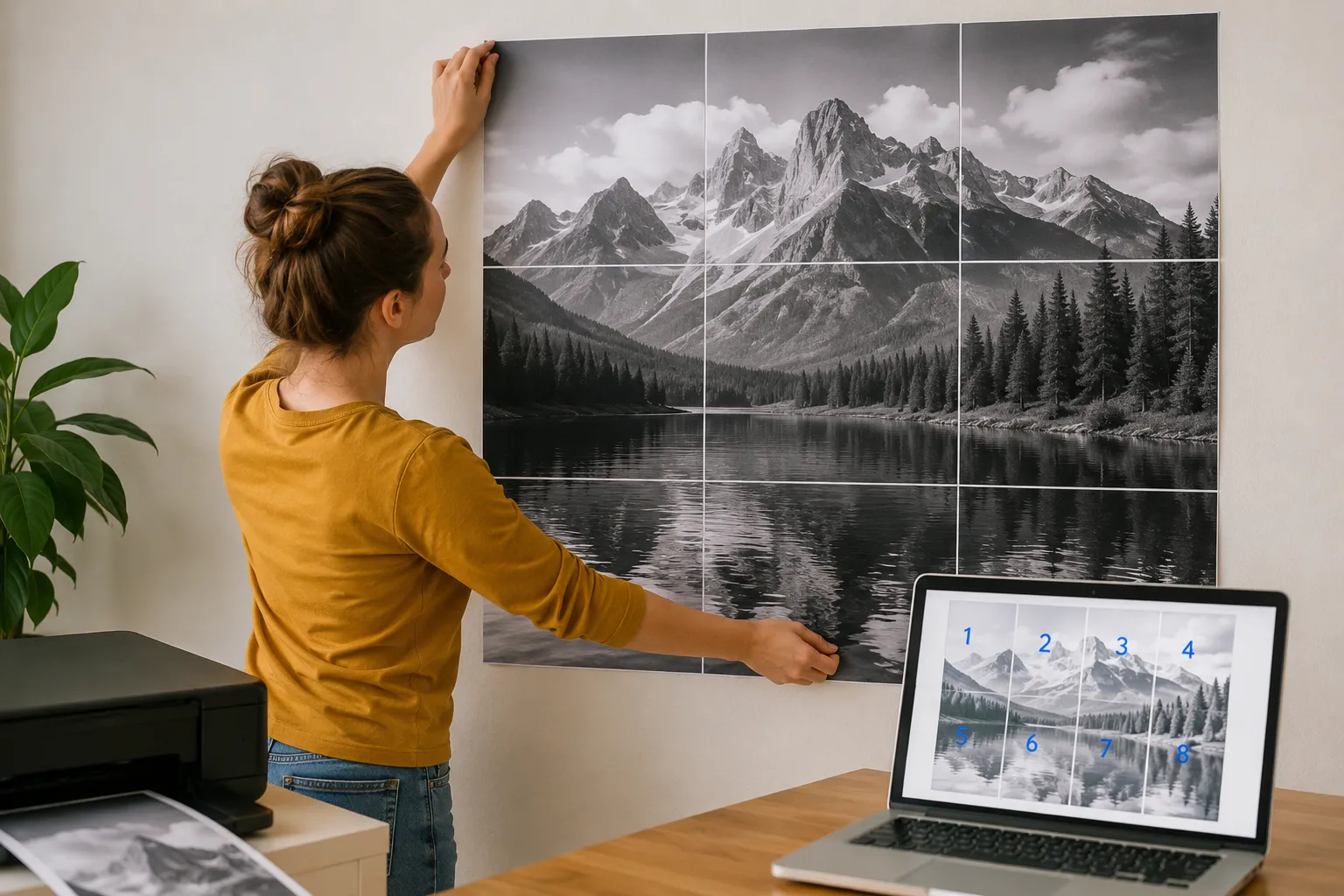
La Impresora de Pósteres y Mosaicos Gratuita de SimpleClickLab resuelve esto dividiendo cualquier imagen o PDF en hojas estándar con una alineación de cuadrícula matemáticamente perfecta.
Arrastre su archivo de alta resolución, elija el tamaño de papel de destino (A4, A3, Letter, Legal) y configure las columnas y filas de la cuadrícula.
Utilice la función de superposición para añadir márgenes con guías visuales coincidentes que facilitan el pegado posterior, y exporte el resultado como un PDF multipágina.
Toda la segmentación y procesamiento de archivos ocurre localmente en su navegador sin interacción con el servidor, protegiendo al 100% sus gráficos y privacidad.
Características clave
- Mosaico de imágenes 100% nativo del navegador: divida archivos grandes localmente para una total privacidad
- Compatibilidad con tamaños de papel comunes, incluyendo formatos A4, A3, US Letter y US Legal
- Márgenes de superposición personalizables para garantizar una alineación física perfecta al pegar las hojas
- Control de resolución ajustable (hasta 300 DPI) para obtener impresiones nítidas a escala física
- Vista previa interactiva en tiempo real que muestra los bordes de página y cortes de cuadrícula antes de exportar
- Generación de PDF multipágina en un solo clic o descarga de ZIP con archivos PNG sin tarifas
Casos de uso comunes
- Profesores y educadores que imprimen gráficos de aula, diagramas de estudio y pancartas en impresoras escolares comunes
- Comercios minoristas que crean carteles publicitarios de gran tamaño, promociones de productos y pancartas de ofertas
- Creadores de arte y aficionados al bricolaje que imprimen decoración de pared personalizada y pósteres fotográficos multipanel
- Organizadores de eventos que compilan tableros de bienvenida, señales de dirección y mapas a gran escala
- Presentadores corporativos que escalan diagramas de flujo internos o cronogramas de proyectos para pizarras
Tus datos nunca salen de tu navegador
Convierta cualquier imagen o archivo PDF en un póster a gran escala dividiéndolo en varias páginas estándar (A4, A3, Letter, Legal). Perfecto para crear decoración de pared, carteles o materiales educativos. Nuestra herramienta funciona íntegramente en su navegador, lo que garantiza que sus archivos de alta resolución nunca se suban a un servidor, manteniendo la privacidad absoluta. Ajuste la superposición, los márgenes y el DPI para obtener el diseño de impresión perfecto.
Cómo usarlo
Suba su archivo
Seleccione una imagen de alta resolución o un documento PDF que desee imprimir como póster.
Configure el diseño
Elija el tamaño del papel (A4, Letter, etc.), establezca el número de columnas/filas o use 'Ajuste Automático'.
Ajuste y previsualice
Ajuste los márgenes y la superposición (overlap) para facilitar el montaje. Arrastre la imagen en la vista previa para posicionarla.
Descargue el PDF
Genere un PDF de varias páginas listo para imprimir o descargue un archivo ZIP con las páginas individuales en PNG.
Preguntas frecuentes
?¿Es seguro subir mis fotos de alta resolución?
Sí, ya que no se suben a ningún servidor. Todo el procesamiento, incluida la división de imágenes y la generación del PDF, ocurre localmente en su navegador.
?¿Para qué sirve la 'Superposición' (Overlap)?
La superposición crea un área compartida entre páginas adyacentes. Esto hace que sea mucho más fácil alinear y pegar las hojas de forma precisa.
?¿Puedo imprimir archivos PDF también?
Absolutamente. Puede subir un PDF de una sola página y dividirlo en varias hojas de papel igual que una imagen ordinaria.
?¿Qué DPI debo usar?
Para pósteres de aspecto profesional, se recomiendan 150 o 300 DPI. Para borradores rápidos, 72 o 96 DPI es más rápido y genera archivos más pequeños.
¿Necesita una herramienta personalizada?
Constantemente añadimos nuevas herramientas. Sugiera una o informe de un error.
Herramientas relacionadas que podrías necesitar
Convertidor HEIC a JPG Gratis Online
Herramienta online gratuita para convertir fotos HEIC/HEIF de iPhone a JPG, PNG o WebP. Conversión por lotes, control de calidad, 100% privado.
Imagen a Base64
Codifique cualquier archivo de imagen en una cadena Base64 al instante. Ideal para incrustar imágenes en archivos HTML, CSS o JSON sin subirlas al servidor.
Compresor de Imágenes Online Gratis
Comprime imágenes a 100KB, optimiza para WordPress, email o WhatsApp. Ajustes inteligentes, WebP/AVIF y cálculos SEO de Core Web Vitals gratis.
Convertidor de Imágenes
Convierta sus imágenes entre formatos JPG, PNG, WebP y AVIF de forma gratuita e instantánea en su navegador.
Redimensionador de Imágenes
Cambie el tamaño de sus imágenes con dimensiones personalizadas, manteniendo la relación de aspecto o recortando con precisión.
AI Readiness Scanner — Comprueba si ChatGPT, Claude y Perplexity pueden leer tu sitio
Comprueba si GPTBot, ClaudeBot, PerplexityBot, Googlebot y otros 11 agentes de IA pueden acceder realmente a tu página. Analiza las reglas de robots.txt y las respuestas reales del servidor, con soluciones concretas.