Free Online Image Compressor
Compress images to 100KB, optimize for WordPress, email, or WhatsApp. Smart presets, WebP/AVIF conversions, page speed and Core Web Vitals estimates. 100% free and private.
Initializing Module
Optimizing assets and preparing high-fidelity workspace...
What is Free Online Image Compressor?
Heavy images are a silent performance tax on your website. A single unoptimized hero image can add 2 to 3 seconds of load time, damage your Core Web Vitals, and drop your pages below competitors in search rankings.
Most online tools like TinyPNG or Squoosh force you to upload assets to external servers. This exposes your private photographs, proprietary graphics, or client files to third parties, risking security leaks.
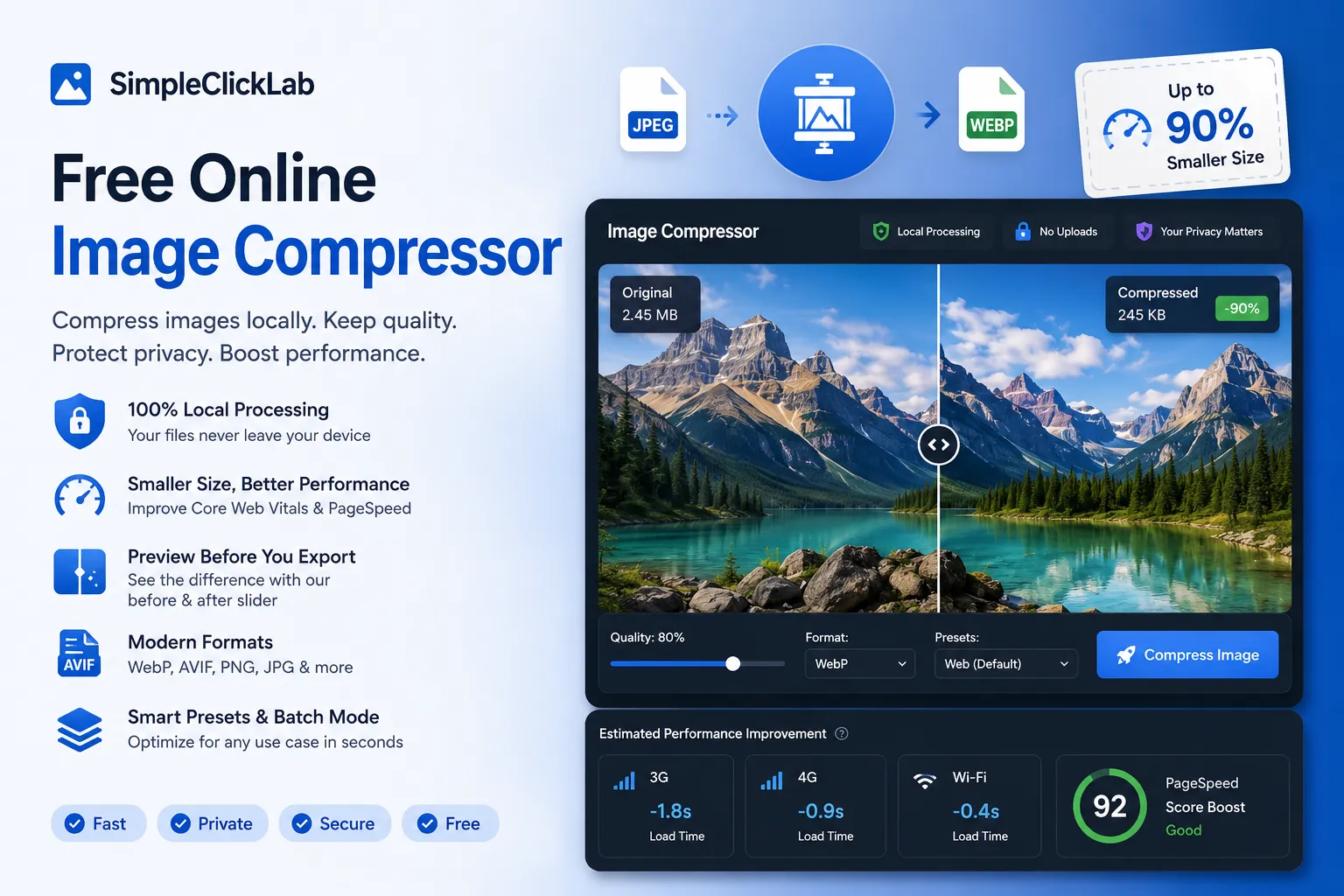
SimpleClickLab's Free Online Image Compressor processes everything locally in your web browser. Using native Web Workers and multi-threaded script executions, it optimizes images without sending a single byte to the network.
Choose smart optimization presets tailored for WordPress blogs, email marketing campaigns, WhatsApp sharing, or Shopify e-commerce. You can also specify an exact target size (e.g. compress to 100KB) to automatically scale dimensions and quality.
Compare original and compressed versions side-by-side using our real-time visual split slider. The built-in metrics tool estimates loading speed gains and SEO ranking boosts on 3G, 4G, and Wi-Fi connections.
Enjoy complete data privacy with our secure offline-first tool. No accounts, no watermarks, and zero server uploads — just fast, professional image compression in a single click.
Key Features
- Smart presets tailored for Web, E-commerce, Email, WhatsApp, and WordPress
- Precise target size matching (e.g., compress exactly under 100KB)
- Real-time side-by-side visual split comparison slider
- Multi-codec comparison showing sizes for JPEG, WebP, and AVIF formats
- Core Web Vitals (LCP) page speed boost estimation across 3G, 4G, and Wi-Fi
- High-speed batch processing with folder support and ZIP export
- Flawless alpha-channel transparency preservation for PNGs
- 100% client-side: no uploads, zero bandwidth usage, secure offline capability
Common Use Cases
- Web developers looking to optimize Core Web Vitals and get 100/100 PageSpeed scores
- E-commerce managers optimizing high-resolution product photos for Shopify or Amazon
- Email marketers fitting campaign layouts under strict client size limits
- Bloggers and SEO specialists looking to compress media for WordPress optimization
- Designers sharing raw mockups without losing details or leaking confidential client work
Your data never leaves your browser
Transform and optimize your images with the web's most powerful client-side smart compressor. Specially built for designers, developers, and marketers who want maximum speed gains. Choose from smart presets tailored for Web, E-commerce, Email, WhatsApp, and WordPress, or go manual with custom quality, dimension, and target filesize limits (e.g. compress to 100KB). Includes a real-time side-by-side interactive split preview, multi-codec format comparison (JPEG vs WebP vs AVIF), and estimated Core Web Vitals (LCP) SEO boost. Best of all, it runs entirely locally in your browser using secure web workers — no image ever leaves your computer, ensuring absolute privacy.
How to use it
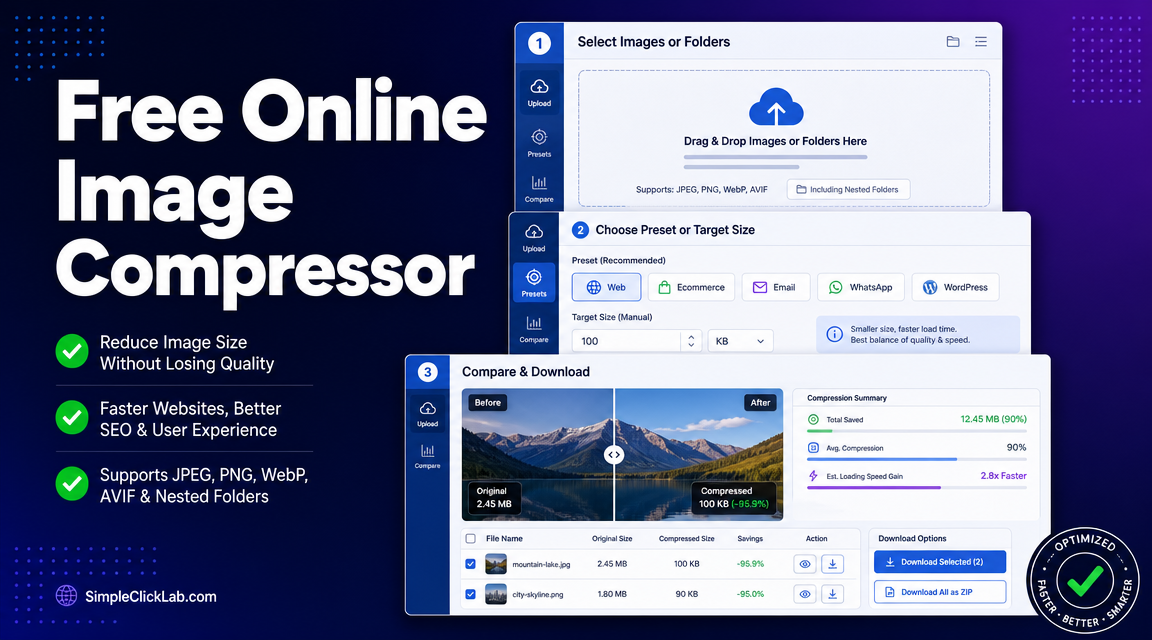
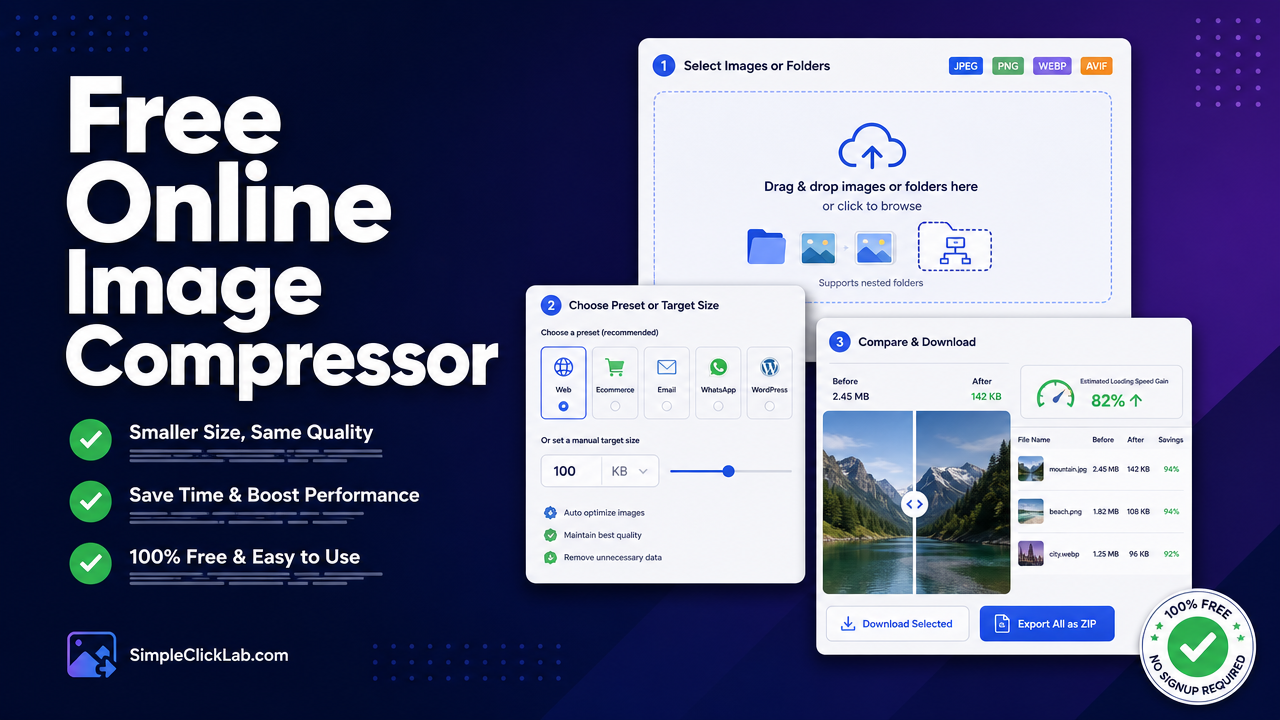
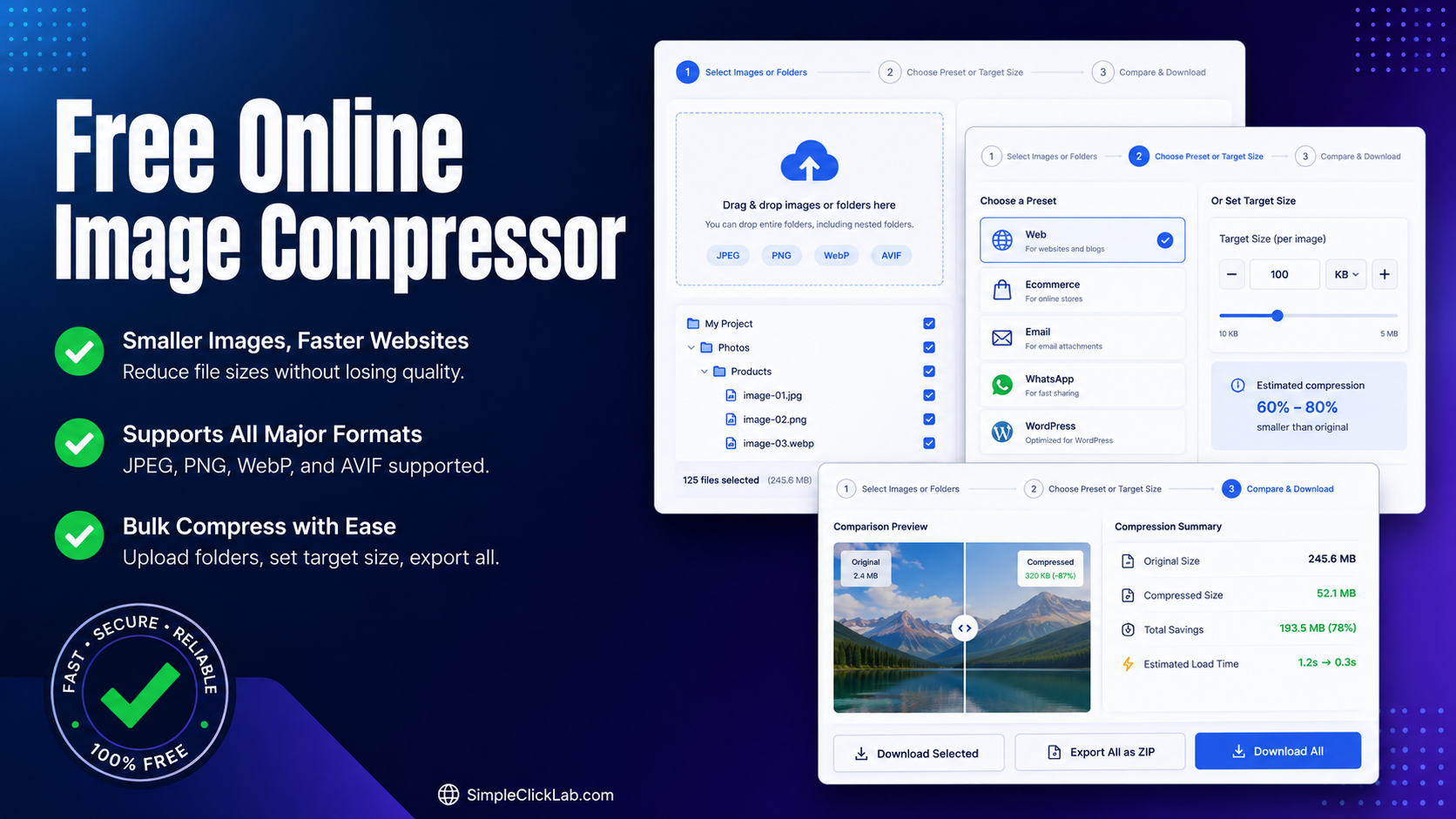
Select Images or Folders
Drag and drop your images, or even drag entire nested folders directly into the upload area. We support JPEG, PNG, WebP, and AVIF.
Choose Preset or Target Size
Select a use-case preset (Web, Ecommerce, Email, WhatsApp, WordPress) to automatically configure optimization profile, or set a manual target size like 100 KB.
Compare & Download
Review compression sizes, open the before/after slider comparison to inspect quality, check estimated loading speed gains, and download individually or export all as a ZIP.
FAQ
?Can I compress an image to exactly 100KB?
Yes! Use the Target Filesize mode, enter '100', and upload your file. Our advanced compressor will iteratively adjust resolution and compression profiles using browser web workers to match your requested maximum target size.
?How does this compressor handle PNG transparency?
Unlike many online compressors that replace transparent backgrounds with black or white pixels, our smart compressor preserves transparent alpha channels. You can compress PNGs heavily while maintaining flawless transparency.
?Is this compressor safer than TinyPNG or FreeConvert?
Yes, it is 100% private. Unlike TinyPNG or other websites that upload your personal images to external cloud servers, SimpleClickLab runs the entire compression algorithm locally in your web browser. Your visual assets are never uploaded, keeping your data entirely secure.
?What are the Page Speed and Core Web Vitals estimates?
Image optimization is the single most effective action for speeding up websites. We calculate simulated loading speed improvements across 3G, 4G, and Wi-Fi networks and estimate the positive impact on Google's LCP (Largest Contentful Paint) ranking metric, giving you exact data for SEO audits.
Need a custom tool?
We're constantly adding new tools. Suggest one or report a bug.
Related Tools You Might Need
Free Online Image Converter
Free online tool to convert images to WebP, AVIF, PNG, or JPEG instantly in your browser. Bulk mode + quality slider included.
Free Online HEIC to JPG Converter
Convert iPhone HEIC/HEIF photos to JPG, PNG, or WebP online. Batch conversion, quality control, 100% private in-browser.
Free Online Image Resizer & Cropper
Free online image resizer and cropper to adjust dimensions and optimize images without quality loss.
Free Online HTML CSS JS Minifier
Free online compress and minify HTML, CSS, and JavaScript code to reduce file sizes and improve website load times.
Poster Printer / Image Tiler
Create printable posters from any image or PDF. Split large files into multiple A4 or Letter pages directly in your browser.
Free Online AI Background Remover
Free online AI-powered background remover that works 100% in your browser for total privacy.
Learn More: Related Articles
Bulk Compress Product Images Shopify to 100KB & WebP/AVIF
Step-by-step guide to bulk compress Shopify/WooCommerce images under 100KB with transparency and WebP/AVIF for improved LCP.
Top Free Online Image Compressors & Best TinyPNG Alternative 2026
Compare the best free image compressors for bulk optimization, privacy, WebP/AVIF conversion & LCP gains. See how SimpleClickLab outranks TinyPNG & Squoosh.
Free Online Image Compressor to Compress Images to 100KB Fast
Compress JPEG, PNG, WebP, AVIF in bulk with a free online tool. Optimize for WordPress, improve Core Web Vitals LCP, and get instant ZIP downloads.
We Used TinyPNG for Years. Then We Built Our Own Tool
Every extra second a page takes to load costs money. People leave. Product pages stall. Ads get more expensive because conversion rates slip. And somehow, a lot of image compression tools still work like it’s 2016.