Poster Printer / Image Tiler
Create printable posters from any image or PDF. Split large files into multiple A4 or Letter pages directly in your browser.
Initializing Module
Optimizing assets and preparing high-fidelity workspace...
What is Poster Printer / Image Tiler?
Creating physical posters or large educational diagrams is a great way to display information, but standard home office printers only support standard A4 or Letter sheets.
Buying expensive wide-format plotter printers is costly, and outsourcing prints to commercial shops exposes your personal or corporate graphics to external servers.
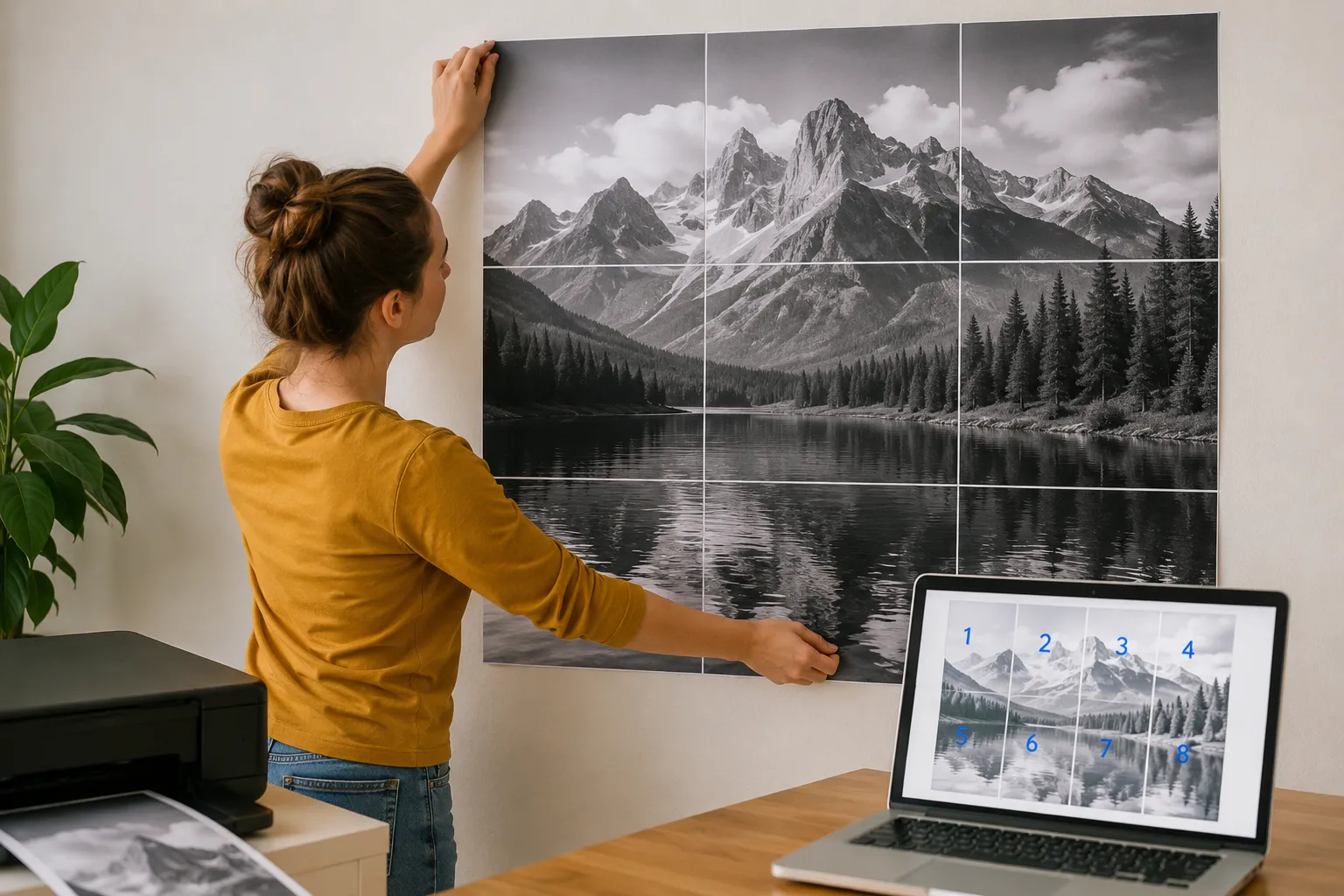
SimpleClickLab's Free Online Poster Printer & Image Tiler solves this by splitting large images and PDFs across standard, easy-to-print sheets with perfect grid alignments.
Drag and drop your high-resolution file, select the paper size (A4, A3, Letter, Legal), and set the number of grid columns and rows.
Use the overlap margin feature to add alignment guides for easy gluing, and export the final sliced layout as a single print-ready PDF.
All image slicing and PDF generation execute locally in your web browser, ensuring your files never leave your computer for total privacy.
Key Features
- 100% browser-native image tiling: splits large files locally for total file security and privacy
- Support for standard paper sizes, including international A4 and A3 formats, and US Letter and Legal sheets
- Customizable overlap margins to ensure flawless physical alignment and simple gluing during assembly
- Adjustable DPI resolution controls (up to 300 DPI) to ensure razor-sharp prints at physical scales
- Live dynamic layout preview showing exact page borders and grid cuts before exporting
- One-click multi-page PDF compilation or ZIP batch downloads with zero licensing fees
Common Use Cases
- Teachers and educators printing large classroom charts, study diagrams, and event banners on standard school printers
- Retail managers creating large store announcement signs, product promotions, and sale banners
- DIY creators and artists printing custom wall art, multi-panel photo posters, and decorative prints
- Event coordinators compiling custom welcome boards, directional signs, and event maps at high scales
- Corporate presenters scaling internal presentation flowcharts or project diagrams for whiteboard boards
Your data never leaves your browser
Turn any image or PDF into a large-scale poster by splitting it across multiple standard pages (A4, A3, Letter, Legal). Perfect for creating DIY wall art, signs, or educational materials. Our tool works entirely in your browser, ensuring your high-resolution files are never uploaded to a server, maintaining 100% privacy and offline capability. Adjust overlaps, margins, and DPI to get the perfect print layout.
How to use it
Upload your file
Select a high-resolution image or a PDF document you want to print as a poster.
Configure layout
Choose your paper size (A4, Letter, etc.), set the number of columns/rows, and adjust the scale. Use 'Auto Fit' for quick setup.
Fine-tune and Preview
Adjust margins and overlaps to make assembly easier. Drag the preview to reposition the image perfectly on the grid.
Download PDF or ZIP
Generate a multi-page PDF ready for printing or download a ZIP archive containing each page as a separate PNG image.
FAQ
?Is it safe to upload my high-resolution photos?
Yes, because you aren't actually 'uploading' them to a server. All processing, including image splitting and PDF generation, happens locally in your browser. Your data never leaves your computer.
?What is 'Overlap' for?
Overlap creates a shared area between adjacent pages. This makes it much easier to glue or tape pages together accurately, as you have a margin of error for alignment.
?Can I print PDFs too?
Absolutely. You can upload a single-page PDF and tile it across multiple sheets of paper just like an image.
?What DPI should I use?
For professional-looking posters, 150 or 300 DPI is recommended. For quick drafts, 72 or 96 DPI is faster and results in smaller file sizes.
Need a custom tool?
We're constantly adding new tools. Suggest one or report a bug.
Related Tools You Might Need
Free Online HEIC to JPG Converter
Convert iPhone HEIC/HEIF photos to JPG, PNG, or WebP online. Batch conversion, quality control, 100% private in-browser.
Free Online Image to Base64 Converter
Free online image to Base64 converter to encode images into data URIs for embedding in HTML or CSS.
Free Online Image Compressor
Compress images to 100KB, optimize for WordPress, email, or WhatsApp. Smart presets, WebP/AVIF conversions, page speed and Core Web Vitals estimates. 100% free and private.
Free Online Image Converter
Free online tool to convert images to WebP, AVIF, PNG, or JPEG instantly in your browser. Bulk mode + quality slider included.
Free Online Image Resizer & Cropper
Free online image resizer and cropper to adjust dimensions and optimize images without quality loss.
AI Readiness Scanner — Check If ChatGPT, Claude and Perplexity Can Read Your Site
Check whether GPTBot, ClaudeBot, PerplexityBot, Googlebot and 11 other AI agents can actually reach your page. Tests robots.txt rules and live server responses, then shows exactly what to fix.