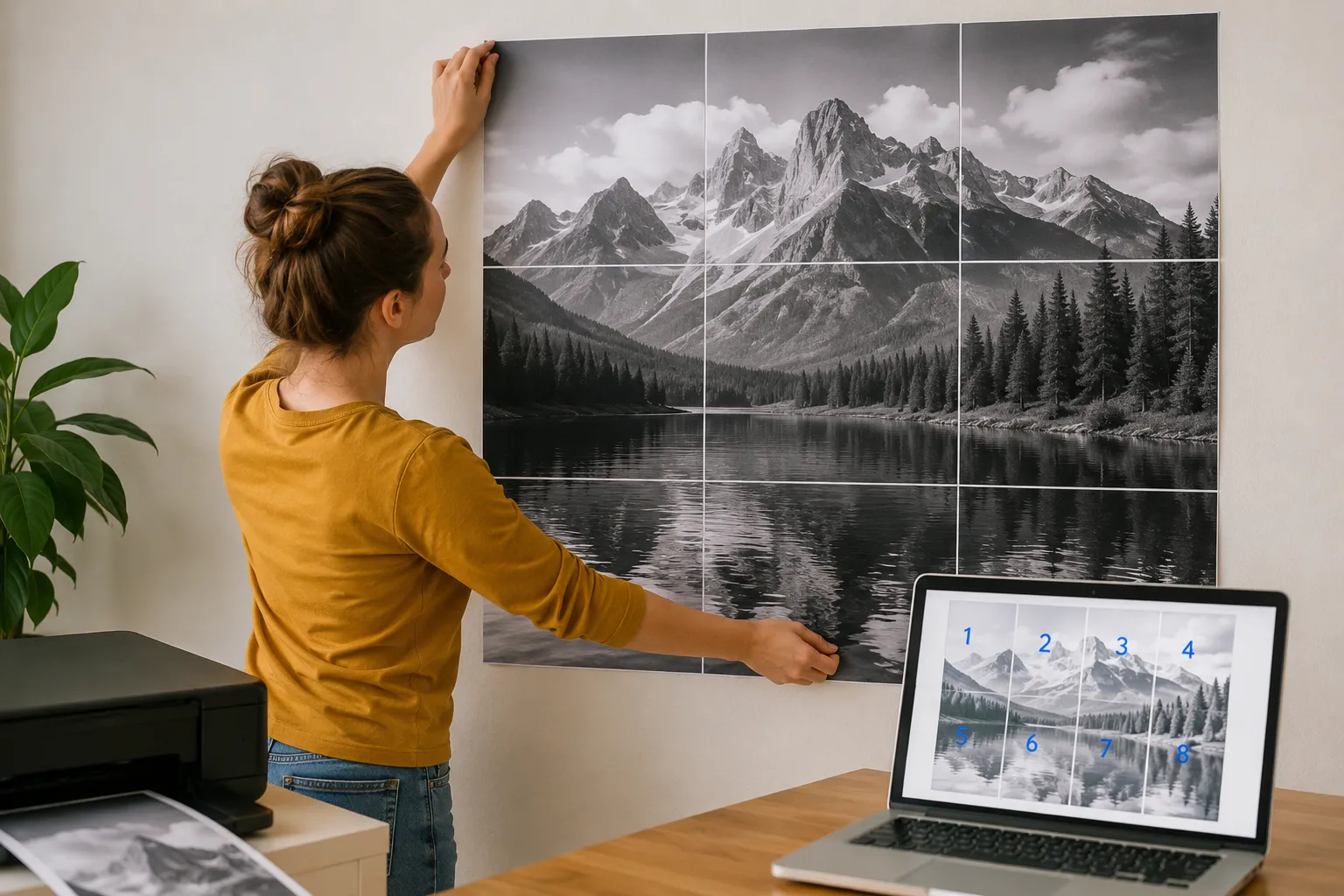
Impressão de Pôsteres e Mosaicos
Crie pôsteres imprimíveis a partir de qualquer imagem ou PDF. Divida arquivos grandes em várias páginas A4 ou Letter diretamente no seu navegador.
Inicializando Módulo
Otimizando ativos e preparando espaço de trabalho de alta fidelidade...
O que é Impressão de Pôsteres e Mosaicos?
Criar pôsteres físicos em grande escala ou murais é excelente para comunicar ideias, mas as impressoras domésticas comuns só suportam folhas A4 ou Carta padrão.
Comprar impressoras plotter profissionais é extremamente caro, e usar conversores online convencionais expõe suas imagens privadas ao enviá-las para a nuvem.
O Conversor Gratuito de Pôsteres e Mosaicos da SimpleClickLab resolve isso dividindo qualquer imagem ou PDF em folhas padrão com alinhamento de grade matematicamente perfeito.
Arrastar seu arquivo de alta resolução, defina o tamanho de papel de destino (A4, A3, Letter, Legal) e configure as colunas e linhas da grade.
Utilize a função de sobreposição para adicionar margens com guias visuais que facilitam a colagem posterior, e exporte o resultado como um PDF multipágina.
Toda a segmentação e processamento de arquivos ocorre de forma local no seu navegador sem envio para servidores externos, protegendo totalmente os seus dados.
Principais recursos
- Mosaico de imagem 100% nativo do navegador: divide arquivos grandes localmente para total segurança e privacidade
- Suporte para tamanhos de papel padrão, incluindo formatos internacionais A4 e A3, e folhas US Letter e Legal
- Margens de sobreposição personalizáveis para garantir um alinhamento físico perfeito e colagem simples na montagem
- Controles de resolução de DPI ajustáveis (até 300 DPI) para garantir impressões nítidas em escalas físicas
- Visualização dinâmica do layout mostrando as bordas exatas da página e cortes de grade antes de exportar
- Compilação de PDF de várias páginas com um único clique ou downloads em lote ZIP sem taxas de licença
Casos de uso comuns
- Professores e educadores imprimindo gráficos de sala de aula, diagramas de estudo e banners em impressoras escolares comuns
- Gerentes de varejo criando cartazes de anúncios de grandes lojas, promoções de produtos e banners de vendas
- Criadores e artistas DIY imprimindo arte de parede personalizada, pôsteres fotográficos com vários painéis e impressões decorativas
- Coordenadores de eventos compilando quadros de boas-vindas personalizados, sinais direcionais e mapas de eventos em alta escala
- Apresentadores corporativos dimensionando fluxogramas de apresentação internos ou diagramas de projetos para quadros brancos
Seus dados nunca saem do seu navegador
Transforme qualquer imagem ou arquivo PDF em um pôster em grande escala dividindo-o em várias páginas padrão (A4, A3, Letter, Legal). Perfeito para criar decoração de parede DIY, sinalizações ou materiais educativos. Nossa ferramenta funciona inteiramente no seu navegador, garantindo que seus arquivos de alta resolução nunca sejam enviados para um servidor, mantendo a privacidade absoluta. Ajuste a sobreposição, margens e DPI para obter o layout de impressão perfeito.
Como usar
Envie seu arquivo
Selecione uma imagem de alta resolução ou documento PDF que deseja imprimir como pôster.
Configure o layout
Escolha o tamanho do papel (A4, Letter, etc.), defina o número de colunas/linhas ou use o 'Ajuste Automático'.
Ajuste e visualize
Ajuste as margens e a sobreposição (overlap) para facilitar a montagem. Arraste a imagem na visualização para posicionar.
Baixe o PDF
Gere um PDF de várias páginas pronto para impressão ou baixe um arquivo ZIP contendo as páginas individuais em PNG.
Perguntas frequentes
?É seguro enviar minhas fotos de alta resolução?
Sim, pois elas não são enviadas para nenhum servidor. Todo o processamento, incluindo a divisão de imagem e a geração do PDF, ocorre localmente no seu navegador.
?Para que serve a 'Sobreposição' (Overlap)?
A sobreposição cria uma área compartilhada entre páginas adjacentes. Isso torna muito mais fácil alinhar e colar as folhas de forma precisa.
?Posso imprimir arquivos PDF também?
Com certeza. Você pode enviar um PDF de página única e dividi-lo em várias folhas de papel exatamente como uma imagem.
?Qual DPI devo usar?
Para pôsteres profissionais, recomendam-se 150 ou 300 DPI. Para rascunhos rápidos, 72 ou 96 DPI é mais rápido e gera arquivos menores.
Precisa de uma ferramenta personalizada?
Estamos constantemente adicionando novas ferramentas. Sugira uma ou reporte um bug.
Ferramentas relacionadas que você pode precisar
Conversor HEIC para JPG Grátis Online
Ferramenta online gratuita para converter fotos HEIC/HEIF do iPhone para JPG, PNG ou WebP. Conversão em lote, controle de qualidade, 100% privado.
Conversor de Imagem para Base64
Ferramenta gratuita para codificar imagens em URIs de dados Base64 para incorporação em HTML ou CSS.
Compressor de Imagens Online Grátis
Comprima imagens para 100KB, otimize para WordPress, e-mail ou WhatsApp. Predefinições inteligentes, conversões WebP/AVIF e estimativas SEO Core Web Vitals.
Conversor de Imagens
Ferramenta gratuita para converter imagens para WebP, AVIF, PNG ou JPEG instantaneamente no seu navegador.
Redimensionador de Imagens
Ferramenta gratuita para redimensionar e cortar imagens, ajustar dimensões e otimizar fotos sem perda de qualidade.
AI Readiness Scanner — Veja se ChatGPT, Claude e Perplexity conseguem ler seu site
Verifique se GPTBot, ClaudeBot, PerplexityBot, Googlebot e outros 11 agentes de IA conseguem realmente acessar sua página. Analisa as regras do robots.txt e as respostas reais do servidor, com soluções concretas.