Best CSS Animation Generators for 2026: Ranked and Compared
Designers and engineers seeking the best css animation generator 2026 demand tools that combine speed, usability, and advanced customization with live preview and copyable CSS. This guide ranks and compares top css keyframe editors, spotlighting a premier animista alternative free online—SimpleClickLab’s Free Online CSS Animation Generator.
What to Expect in a Leading CSS Animation Generator
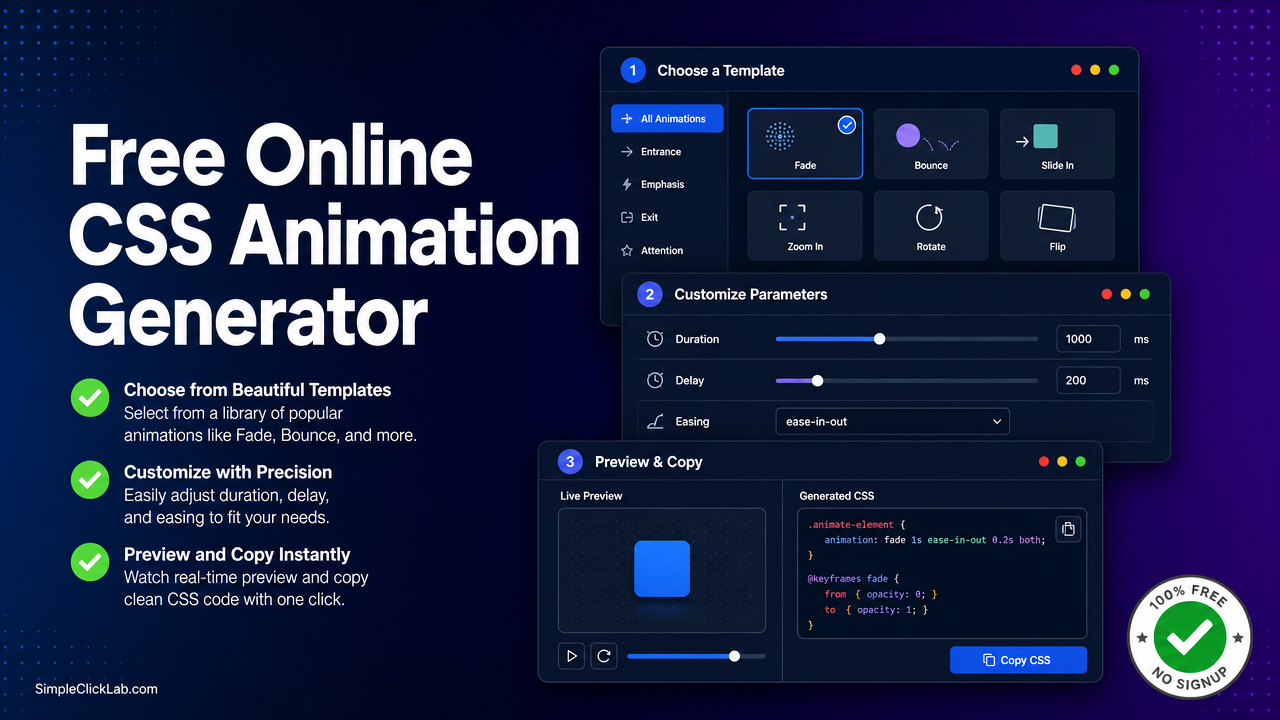
- Choose a Template: Access a broad library of CSS @keyframes animations, including Fade, Bounce, Slide, Rotate, and Pulse.
- Customize Parameters: Adjust duration, delay, easing functions (including cubic-bezier), and iteration count.
- Live Preview & Code Export: Watch real-time animations and export clean, cross-browser compatible CSS without JavaScript.
#1 SimpleClickLab’s Free Online CSS Animation Generator
Built for the modern lightweight UI animation workflow, SimpleClickLab offers a fast and intuitive platform with:
- Extensive animation presets that are designer-friendly
- Direct full CSS export with browser support prefixes
- Responsive live preview editor for on-the-fly adjustments
- Cross-browser CSS output with no hidden JS dependencies
- Free access without signup, streamlining the animation prototyping process
Comprehensive Comparison Table of Top CSS Animation Generators
| Feature / Tool | SimpleClickLab | Animista | Bounce.js | Cubic-Bezier Tools |
|---|---|---|---|---|
| Animation Template Library | Fade, Bounce, Slide, Rotate, Pulse | Extensive presets | Focused on bouncing effects | N/A (ease function generator only) |
| Customization Options | Duration, Delay, Easing (cubic-bezier), Iteration | Duration, Delay, Easing, Iterations | Parameters tailored to bounce effects | Custom cubic-bezier curve creation |
| Live Preview of Animations | Yes | Yes | Limited (requires JS integration) | Preview of easing curves only |
| CSS-Only Export | Yes, cross-browser prefixed CSS | Yes | Requires JS for animation control | Exports easing function code snippet |
| User Interface | Lightweight, fast, minimal loading times | Feature-rich but heavier UI | JavaScript API-focused | Simple curve editor UI |
| Open Source / Freemium | Free Online Tool (no freemium) | Free + Paid subscription | Open source | Mostly free online tools |
| Ideal Use Case | Quick prototyping with instant copyable CSS | Full animation customization | JavaScript-driven, complex bounce effects | Design easing functions for custom animations |
| See why SimpleClickLab is faster | SimpleClickLab Tool | SimpleClickLab Tool | SimpleClickLab Tool | SimpleClickLab Tool |
Tool Details and Workflow
- Choose Your Animation Template: Select from proven CSS keyframe animations in the library such as Fade, Bounce, or Rotate.
- Customize Parameters: Modify duration, delay, iteration count, and easing functions including cubic-bezier values.
- Preview in Real-Time: Watch your CSS animation update live in the embedded preview window.
- Copy and Use: Export ready-to-use cross-browser CSS animations with necessary vendor prefixes, no JavaScript code required.
This streamlined process makes SimpleClickLab the fastest and most efficient free platform for css easing cubic-bezier generator tools as well as top css keyframe editors.
Why Choose SimpleClickLab Over Animista or Bounce.js?
- Speed and Lightweight UI: Faster load times and no subscription barriers.
- Pure CSS Export: No JavaScript dependencies, perfect for performance-oriented projects.
- Browser Compatibility: Automatic prefixing for widest reach.
- Live Preview Editor: Immediate feedback accelerates design iterations.
Explore more free builders for extended capabilities beyond CSS animations.
FAQ
•How does SimpleClickLab manage cross-browser CSS prefixing for animations?
SimpleClickLab automatically inserts all necessary vendor prefixes (e.g., -webkit-, -moz-) into the generated CSS @keyframes and animation properties to ensure consistent behavior across modern browsers.
•Can I create custom easing curves with SimpleClickLab’s generator?
Yes, SimpleClickLab includes a css easing cubic-bezier generator tool allowing you to define and preview precise timing functions, which apply directly to your keyframe animations.
•Is JavaScript required to use animations generated from SimpleClickLab?
No. SimpleClickLab’s tool outputs pure CSS animations with cross-browser compatibility, removing the need for any JavaScript code to control or trigger the animations.
•How does SimpleClickLab compare performance-wise to Animista and Bounce.js?
SimpleClickLab prioritizes a lightweight interface and immediate live preview which results in faster load and rendering times compared to Animista's more feature-heavy UI and Bounce.js's JS-dependent animations.
•Are there any limitations on the number of animation iterations in SimpleClickLab?
No. The tool allows full customization of iteration count, including infinite loops, to suit any UI animation requirement or design prototype.