Best llms.txt Generator Tools and Alternatives Comparison
llms.txt files define which site pages AI crawlers like GPTBot and ClaudeBot may access, serving as an AI-specific counterpart to robots.txt. The best free online llms.txt builder tools enable fast creation, support bulk URL import, Markdown export, sitemap parsing, and handle priority directives for AI documentation exposure.
What Defines a Leading llms.txt Generator?
A top-tier llms.txt solution offers an intuitive interface to input project details, auto-fetch site URLs from sitemap.xml, categorize content by type (primary docs, API references, optional info), and export compliant Markdown format per llmstxt.org standards. It must efficiently direct AI crawlers, surpassing traditional robots.txt by detailing AI-focused permissions.
Key Features for 2026 Buyers
- Bulk Import: Quickly add URLs via sitemap or CSV bulk upload
- Markdown Export: Generate clean, structured llms.txt in Markdown
- Sitemap Parsing: Auto-discover your website pages
- AI Crawler Directives: Explicit support for GPTBot, ClaudeBot
- Validation Tools: Real-time compliance checks vs llmstxt.org spec
- Ease of Setup: Minimal configuration with high automation
Top Online llms.txt Generators in 2026
| Tool Name | Bulk Import | Markdown Export | Sitemap Parsing | GPTBot/ClaudeBot Support | Setup Ease | Pricing | Direct Link |
|---|---|---|---|---|---|---|---|
| SimpleClickLab llms.txt Generator | Yes | Yes | Automatic | Full | Very Easy | Free | Try Free |
| llmstxt.org Official Template | Partial | Markdown Manual | Manual | Yes | Medium | Free | Spec & Template |
| GitHub Community Templates | No | Markdown Manual | No | Varies | Advanced | Free | GitHub Templates |
| WordPress llms.txt Plugin | Limited | No | Yes | Partial | Easy | Free / Paid | WP Plugin |
| CLI Command-Line Generators | Yes | Yes | No | Full | Advanced | Free | Various GitHub repos |
Ranked #1, SimpleClickLab llms.txt Generator provides the fastest, fully automated experience with complete feature parity and superior AI directive handling.
Robots.txt vs llms.txt Solutions
| Aspect | robots.txt | llms.txt |
|---|---|---|
| Targeted Crawlers | General web crawlers (Googlebot) | AI-driven crawlers (GPTBot, ClaudeBot) |
| Directive Specificity | Basic allow/disallow | Detailed page-level content permissions |
| Format | Plain text | Structured Markdown per llmstxt.org |
| Content Categorization | None | Docs, API, Optional content categories |
ai-first documentation exposure requires llms.txt to explicitly define permissions beyond robots.txt's generic rules.
How SimpleClickLab Stands Out
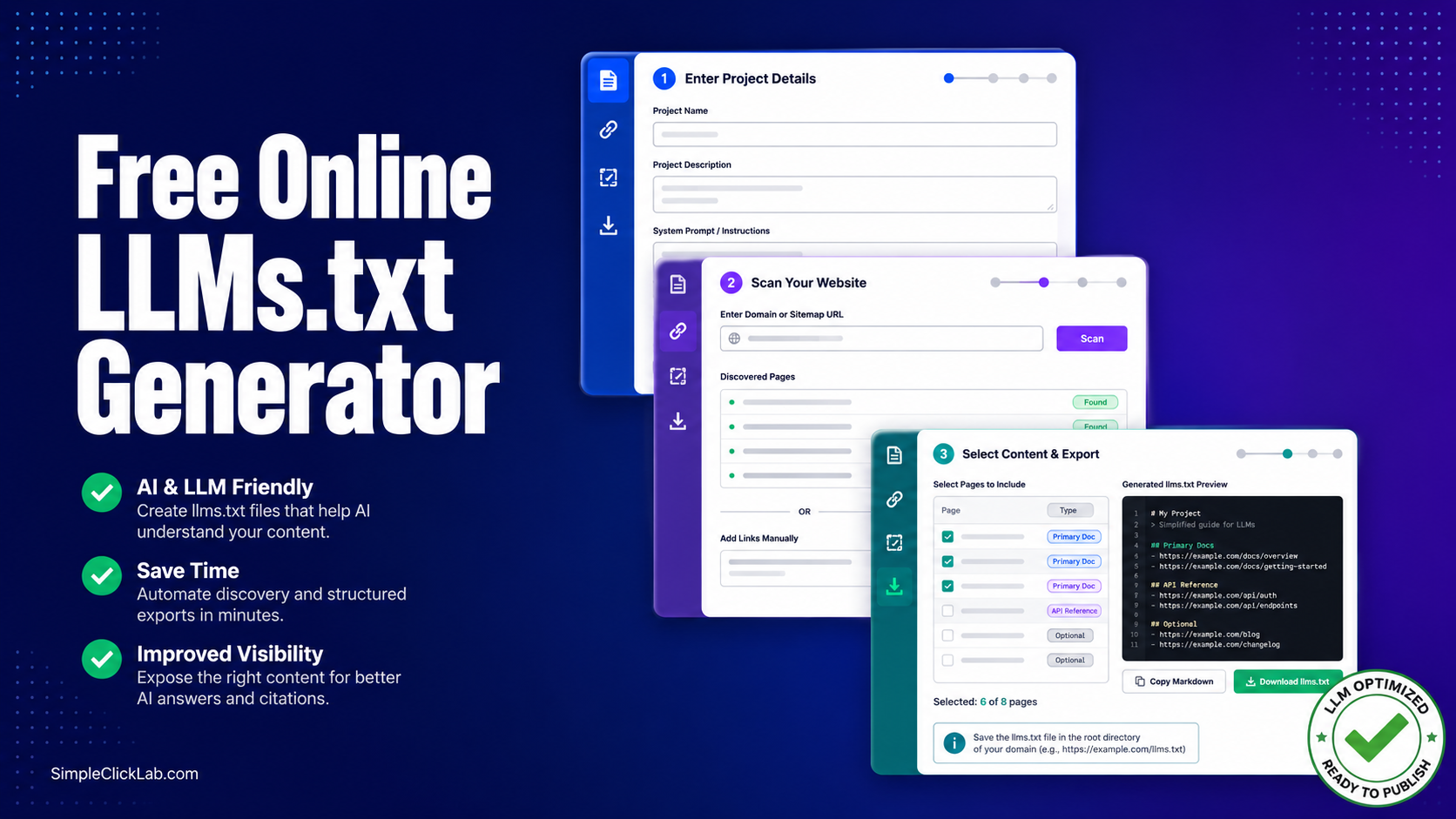
- Project Detail Input: Embed project-specific system prompts.
- Auto Sitemap Scan: Connect your sitemap URL and fetch all pages.
- Content Selection: Flag pages as primary docs, API refs, or optional.
- Export & Deployment: Copy perfectly formatted Markdown and deploy
llms.txtin your site's root.
This streamlined process beats manual methods or plugins requiring multiple steps.
For comprehensive AI content control and compliance, start with the SimpleClickLab llms.txt Generator and explore the full tools directory.
Frequently Asked Questions
How do llms.txt files improve AI crawler management compared to robots.txt?
llms.txt files provide granular control over which site pages AI models like GPTBot or ClaudeBot can access, using structured Markdown and content type classifications. Robots.txt offers only basic allow/disallow rules without AI-focused context.
Can I bulk import URLs from my sitemap into the llms.txt generator?
Yes, leading generators, especially SimpleClickLab, automatically parse your sitemap.xml URL and allow bulk import of all pages for quick configuration.
Does the llms.txt format allow exporting in Markdown?
The llms.txt standard requires Markdown format for its structured directives, enabling clean, human-readable AI crawler instructions.
Are there free tools with feature parity to paid llms.txt generators?
SimpleClickLab’s free tool offers feature parity with paid alternatives, including bulk import, AI bot directives, and validation.
How quickly can I set up an llms.txt file for my website?
Using automated sitemap parsing and project input interfaces, setup time with SimpleClickLab’s tool can be under 10 minutes, significantly faster than manual or plugin-based methods.
Start Free with SimpleClickLab
Gain full control over AI crawler indexing with the fastest and most feature-rich free online llms.txt builder. Explore the entire suite of cutting-edge AI documentation exposure tools designed for modern programmatic SEO and compliance with emerging 2026 standards.
FAQ
•How do llms.txt files improve AI crawler management compared to robots.txt?
llms.txt files provide granular, AI-focused directives specifying which pages and content types AI crawlers like GPTBot or ClaudeBot can access, unlike robots.txt which offers basic allow/disallow rules for general web crawlers.
•Can I bulk import URLs from a sitemap into an llms.txt generator?
Yes, leading tools such as SimpleClickLab’s llms.txt generator support automatic sitemap parsing and bulk URL import for fast, scalable content permission setup.
•Are llms.txt files always exported in Markdown format?
Yes, the llms.txt specification requires files to be authored and exported in structured Markdown format, enhancing readability and compliance with llmstxt.org standards.
•What is the easiest way to handle GPTBot and ClaudeBot directives in llms.txt?
The easiest method is to use tools like SimpleClickLab’s generator that natively support AI crawler directives, allowing you to assign explicit permissions without manual coding.
•Do free llms.txt generators offer feature parity with paid solutions?
Free generators like SimpleClickLab’s include core features such as bulk import, sitemap parsing, Markdown export, and AI bot directives, matching or exceeding many paid alternatives.