Instant Social Media Post Mockup Generator for Startups and PR Pros
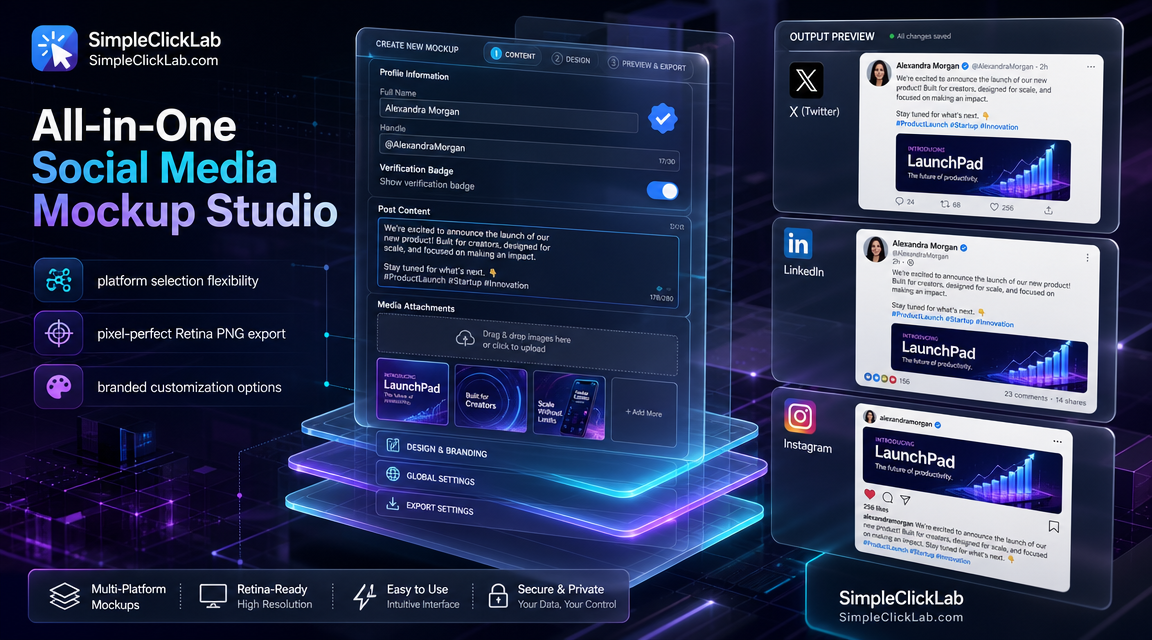
The All-in-One Social Media Mockup Studio enables startup founders and PR leads to quickly design, coordinate, and export branded product announcement posts across X (Twitter), LinkedIn, and Instagram. It delivers pixel-perfect layouts with platform-specific styles and consistency, allowing export of high-resolution 2× Retina PNG images ideal for pitch decks and press kits.
Why Use the Social Media Mockup Studio for Your Product Launch?
Startup pitches and PR campaigns require visually consistent social proof across multiple platforms. This studio is a browser-based, no-design-software-needed tool that seamlessly generates platform-accurate post mockups featuring custom avatars, verification badges, brand gradient backgrounds, and images tailored for LinkedIn, X (Twitter), and Instagram.
Step-by-Step Framework: Ship Your Launch Visuals in 7 Minutes
| Step | Action | Description | Tool Link |
|---|---|---|---|
| 0 | Open the Mockup Studio | Start by launching the free studio and selecting your platforms | Open the free mockup studio |
| 1 | X/Twitter Post Setup | Choose X, add product announcement headline, attach image, include verification badge and handle | - |
| 2 | Duplicate for LinkedIn | Adjust the tone for LinkedIn, modify post text for professional style, maintain verified brand elements | - |
| 3 | Create Instagram Variant | Use brand color gradient backgrounds, set image and text for Instagram’s visual format | - |
| 4 | Fine-tune Visual Consistency | Adjust padding, card corners, and shadow intensity to harmonize cross-platform look | - |
| 5 | Export Final PNG | Export all mockups as high-resolution 2× Retina PNG files optimized for presentation slides and media kits | - |
Core Features Breakdown
Multi-Platform Flexibility
- Select from seven major platforms including X/Twitter, LinkedIn, Instagram, Threads, Telegram, WhatsApp, and iMessage.
- Platform-specific layout and style fidelity for authentic social proof presentation.
Custom Content Configuration
- Edit user names, handles, and message thread content.
- Upload custom avatars and attach multiple post images.
- Add verification badges for authenticity.
Design Canvas Customization
- Choose vibrant brand color gradient backgrounds.
- Modify padding, card corner radius, and drop shadow intensity.
- Preview consistent cross-platform layouts in real time.
High-Resolution Export
- Download pixel-perfect social media mockups as 2× Retina quality PNG images.
- Ideal for startup pitch decks, press kits, and official marketing collateral.
Strategic Funnel Hook: Publish Launch Visuals Fast
Use this tool as your one-stop launch asset generator to save time and maintain brand consistency. Begin your workflow by opening the free mockup studio and follow the streamlined 5-step process to create media-kit-ready product announcement visuals.
Toolkit for Startups and PR Leads
Complement your launch visuals with other helpful generators available at the global tools directory, including social tiles preview, scheduling templates, and more professional-grade assets curated for founders and communications teams at SimpleClickLab Tools.
FAQ
•How does the tool ensure platform-accurate post mockups across LinkedIn, X, and Instagram?
The studio uses distinct layout templates and style guides tailored for each platform's unique visual language, including verified badges, handle display, character limits, and image aspect ratios, ensuring mockups replicate the authentic social media post look and feel.
•Can I customize the branding elements such as color gradients and verification badges in the mockups?
Yes, users can select from vibrant brand color gradient backgrounds, adjust card padding, corners, and shadow intensity, and add verification badges along with custom avatars and handles to maintain on-brand consistency across all platform mockups.
•What file formats and resolutions are supported for export?
The tool exports mockups exclusively as high-resolution PNG images at 2× Retina scale, optimized for pitch decks, press kits, and high-quality marketing collateral without any loss of visual fidelity.
•Is a design software installation required to use All-in-One Social Media Mockup Studio?
No installation is necessary; the studio is fully browser-based, enabling users to create, customize, and export social media post mockups directly online without any third-party design applications.
•How can I maintain consistent cross-platform layout when creating posts for multiple social channels quickly?
The tool allows easy duplication of posts across platforms with adjustable tone and styling, combined with design controls for padding, corners, and shadows to ensure visual harmony and consistent brand presentation throughout X, LinkedIn, and Instagram.