Free Online Text Toolkit Guide
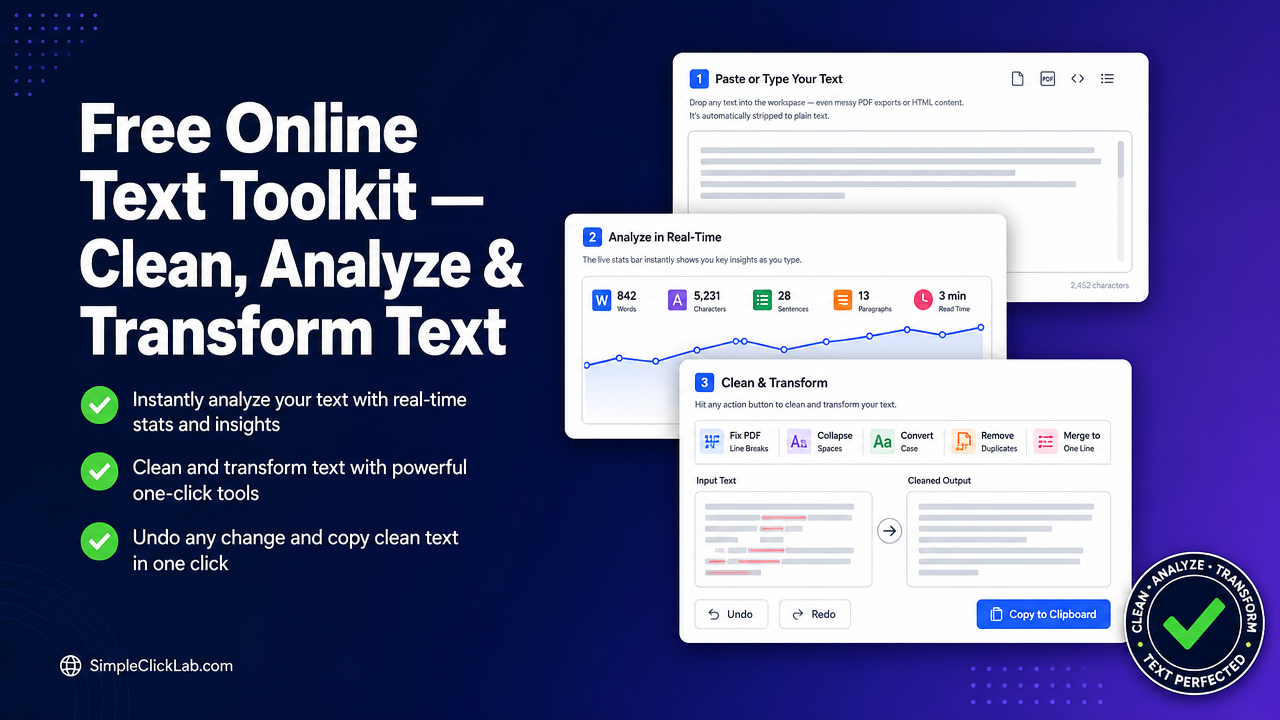
The Free Online Text Toolkit is a comprehensive, browser-based text processor designed to clean, analyze, and transform text securely and efficiently without any uploads or data sharing. This tool automatically fixes PDF line breaks, counts words and characters with and without spaces, estimates reading time, converts text case across six formats, removes duplicate lines, and includes advanced whitespace normalization—all while keeping full privacy through local processing with a 20-step undo history. Access the toolkit directly and start optimizing your text instantly: Try the Free Text Cleaner.
Live Stats (word, character, reading time, sentences, paragraphs)
This toolkit provides real-time analytics as you input text, displaying live word count, character count (both with and without spaces), estimated reading time, sentence count, and paragraph count. These metrics update dynamically, ensuring immediate visibility of your text’s structure and size, which is crucial for professional document preparation and content management.
- Word Counter with Reading Time tracks total words and approximates how long it takes to read the content.
- Character Count with and Without Spaces reflects precise length measurements needed for strict content limits.
- Sentence and Paragraph Counter assists with understanding text segmentation and readability.
All stats are shown in a clear, persistent stats bar at the top or bottom of the interface for seamless workflow integration.
Open the Case Converter to see live stats in action.
Clean and Transform
The Free Online Text Toolkit facilitates essential cleaning and transforming operations designed for professional-grade text sanitation and formatting:
| Function | Description | Benefit |
|---|---|---|
| PDF Line Break Fixer | Automatically removes unwanted line breaks from PDF exports, restoring proper flow and paragraphing. | Prevents manual cleanup; improves readability. |
| Collapse Multiple Spaces | Converts irregular spacing into single spaces to normalize text aesthetics and consistency. | Creates uniform text spacing. |
| Duplicate Line Remover | Identifies and removes repeated lines, crucial for de-duplicating content in bulk imports or exports. | Saves time editing; declutters text. |
| Case Converter Tool | Converts text between six case formats including UPPERCASE, lowercase, Title Case, Sentence case, etc. | Meets style requirements across various platforms. |
| Merge Lines into One | Combines multiline text into a single continuous line, useful for CSV or CMS entry preparation. | Enables seamless pasting and formatting. |
Each action runs instantly within your browser, with no upload needed. Every transformation is reversible thanks to a detailed 20-step undo history, allowing experimentation without risk.
Experience all these features live here: Try the Free Text Cleaner.
Privacy and Speed (local processing, no data sent)
The toolkit runs entirely in the browser with zero data transmission to external servers. This guarantees:
- Complete data privacy with no risk of leaks or storage.
- Blazing speed since operations are processed locally without network latency.
- Compatibility with sensitive or confidential documents where cloud-based tools cannot be used.
This privacy-first design is a key advantage for enterprise, legal, academic, and CMS publishing professionals.
How-to Steps
Follow this structured workflow for optimal results:
- Paste or Type Your Text into the workspace—including raw PDF exports or mixed HTML content. It will be stripped to plain text automatically.
- Monitor Live Stats: Observe word count, character counts, estimated reading time, sentences, and paragraphs as you go.
- Apply Cleaning Functions as Needed: Use the PDF line break fixer, collapse spaces, convert case, remove duplicate lines, or merge lines with one click.
- Undo Any Step: If a transformation doesn’t meet your needs, revert up to 20 steps back.
- Copy Clean Text: Once satisfied, copy the result from the clipboard-ready button.
Access and follow all steps here: Open the Case Converter.
Frequently Asked Questions
How does the PDF line break fixer work?
The PDF line break fixer scans pasted text for atypical line breaks caused by PDF exports and automatically removes them by merging broken lines while preserving paragraph division for improved readability.
Can I track reading time with this tool?
Yes, the tool calculates estimated reading time in real-time based on word count and average reading speeds, providing actionable insights for content length management.
What case formats are supported in the case converter tool?
The case converter supports six formats: uppercase, lowercase, title case, sentence case, toggle case, and alternating case, allowing flexible text formatting.
Is any text data uploaded or stored externally?
No. All processing occurs locally within your browser, ensuring no data is uploaded, shared, or stored externally, preserving complete privacy.
How many undo steps are available for transformations?
A comprehensive 20-step undo history lets you revert any mistake or experimentation at any time without losing previous progress.
Explore the full suite of tools designed to optimize your workflow: Explore all free utilities.
FAQ
•How does the PDF line break fixer work?
The PDF line break fixer scans pasted text for atypical line breaks caused by PDF exports and automatically removes them by merging broken lines while preserving paragraph division for improved readability.
•Can I track reading time with this tool?
Yes, the tool calculates estimated reading time in real-time based on word count and average reading speeds, providing actionable insights for content length management.
•What case formats are supported in the case converter tool?
The case converter supports six formats: uppercase, lowercase, title case, sentence case, toggle case, and alternating case, allowing flexible text formatting.
•Is any text data uploaded or stored externally?
No. All processing occurs locally within your browser, ensuring no data is uploaded, shared, or stored externally, preserving complete privacy.
•How many undo steps are available for transformations?
A comprehensive 20-step undo history lets you revert any mistake or experimentation at any time without losing previous progress.