Extract Apache and Nginx Log Fields Using a Free Online Regex Maker
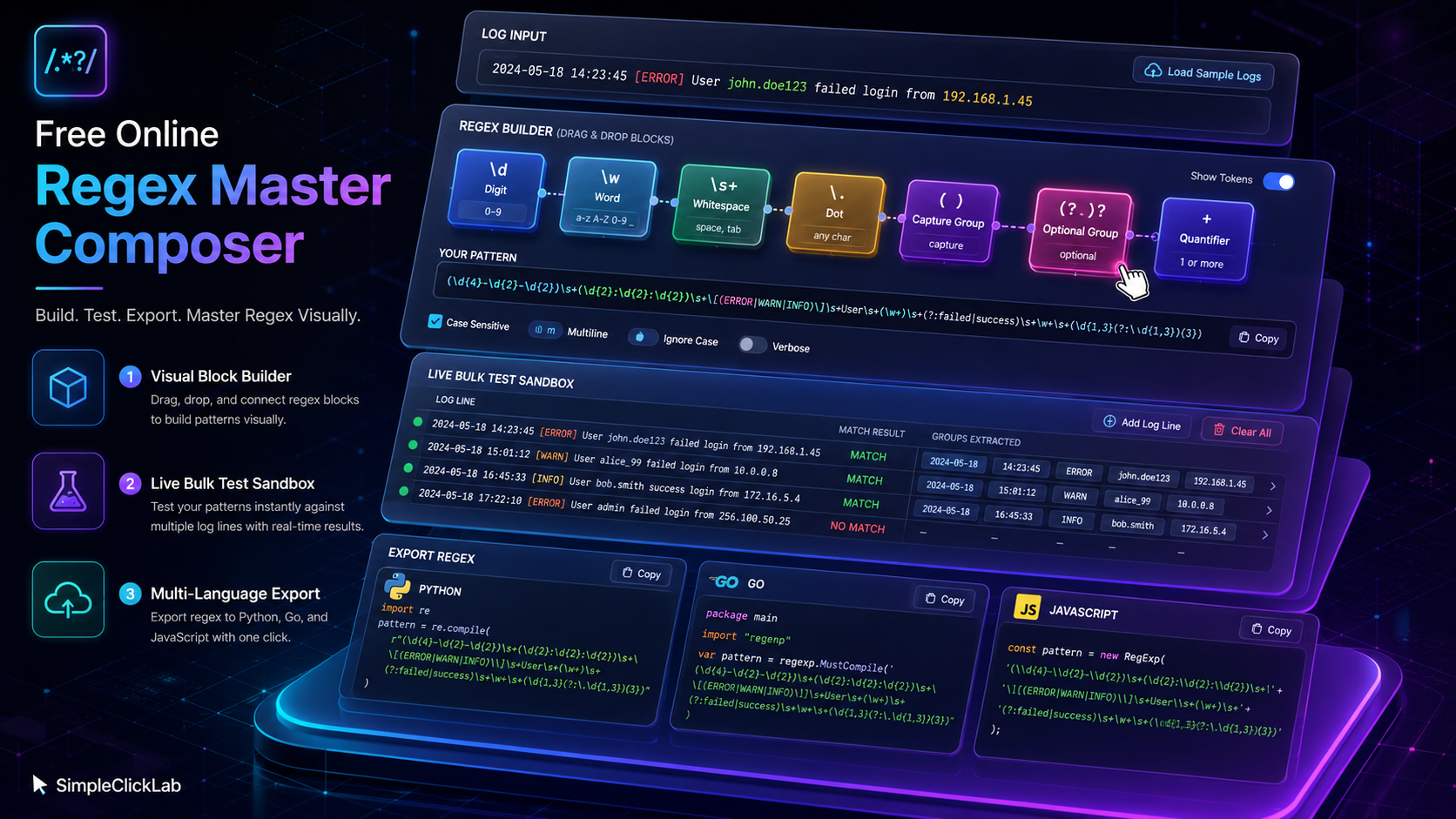
A specialized free online regex composer enables data engineers and SREs to build accurate regular expressions for parsing Apache and Nginx access logs. The tool supports step-by-step block-based pattern construction with named capture groups, live bulk testing on multiple log lines, and language-specific regex exports for Python, Go, and JavaScript.
Why Use a Block-Based Visual Regex Builder for Logs?
- Modular Pattern Assembly: Each regex component (digits, letters, whitespace, literals) is an individual draggable block.
- Intuitive Frequency Controls: Set quantifiers for exact, ranged, or optional occurrences.
- Named Capture Groups: Identify and extract structured fields (IP, timestamp, HTTP method, status code) clearly.
- Multi-Language Export: Generates PCRE-compatible patterns with ready-to-use code snippets in Python, Go, JavaScript, and PHP.
- Interactive Sandbox: Instantly highlights matches in pasted sample logs, allowing bulk test line validation.
Step-by-Step Tutorial for Apache/Nginx Access Log Regex Creation
| Step | Action | Description |
|---|---|---|
| 1 | Open the Tool | Access the Free Online Regex Master Composer directly. |
| 2 | Define Pattern Blocks | Add blocks sequentially for IP address, spaces, dash (-), timestamp in brackets, quoted request string, status code, byte count, referrer URL, and user agent string. |
| 3 | Set Frequencies & Optionality | Configure quantifiers for repeated elements (e.g., IP octets), make some fields optional (like referrer), and set ranges for bytes and user agent lengths. |
| 4 | Name Capture Groups | Assign meaningful names like ip, timestamp, request, status, and bytes to extract those into structured results. |
| 5 | Bulk Test Logs | Paste multiple Apache or Nginx access log lines into the sandbox area. Matches highlight in real-time to verify the regex. |
| 6 | Export Regex Code | Copy the generated regex pattern and language-specific export snippets for Python, Go, or JavaScript for immediate integration. |
| 7 | Adjust for Variants | Load presets or modify blocks to handle specialized formats like ELB logs or different Nginx combined log formats. |
Common Named Capture Groups in Access Log Regex Patterns
| Capture Group Name | Purpose |
|---|---|
ip |
IPv4 or IPv6 addresses, typically four 1-3 digit blocks separated by dots |
timestamp |
Date/time with timezone, enclosed in brackets (e.g., [10/Oct/2000:13:55:36 -0700]) |
request |
HTTP method, requested resource, and protocol in quotes |
status |
HTTP status code (3 digits) |
bytes |
Number of bytes sent in response, may be - if unavailable |
referrer |
The referring page URL, usually quoted |
user_agent |
Browser user-agent string, quoted |
Example: Apache Combined Log Format Regex Preset
Click to Load this preset and paste this sample log:
127.0.0.1 - frank [10/Oct/2000:13:55:36 -0700] "GET /apache_pb.gif HTTP/1.0" 200 2326 "http://www.example.com/start.html" "Mozilla/4.08 [en] (Win98; I ;Nav)"
192.168.0.1 - - [28/Mar/2024:15:36:08 +0000] "POST /login HTTP/1.1" 302 1234 "-" "curl/7.68.0"
Python, Go, and JavaScript Regex Export Highlights
| Language | Export Format | Notes |
|---|---|---|
| Python | Raw string literal with named groups, compatible with re module |
|
| Go | Uses regexp package syntax with named capture groups in (?P<name>pattern) format |
|
| JavaScript | Generates compatible pattern for ES2018+ with named capture groups (?<name>pattern) |
Variations for ELB and Nginx Logs
The tool supports adapting patterns by adding or removing blocks to fit ELB access log formats or custom Nginx log formats, handling variations in timestamp, request method, user-agent structure, or additional fields used in modern ELK and Splunk ingestion pipelines.
Explore more useful utilities for data engineers at the full tools directory for efficient log parsing, transformation, and monitoring.
FAQ
•How do I configure named capture groups for extracting Apache log fields?
In the regex composer, assign capture group names directly to the respective blocks representing fields such as IP, timestamp, status, and user agent. This allows structured extraction by referencing these names in your downstream data processing or log ingestion pipelines.
•Can I bulk test multiple log entries to verify my regex pattern?
Yes, the interactive sandbox allows pasting multiple access log lines simultaneously. The tool highlights matches in real time, enabling quick verification and fine-tuning of the pattern against varied log samples for Apache, Nginx, or ELB formats.
•Is the generated regex compatible with Python, Go, and JavaScript?
The composer produces PCRE-compatible patterns with correct syntax for named capture groups and exports code snippets tailored for Python's re module, Go's regexp package, and modern JavaScript engines supporting named groups, ready for direct integration.
•How do I adapt the regex for Nginx or ELB log formats?
Modify or reorder blocks to match the specific structure of Nginx or ELB combined log formats, adjusting for differences in timestamp format, field delimiters, or included optional fields. The preset loader facilitates applying common variations quickly.
•What are best practices for parsing timestamps and status codes in logs?
Use dedicated blocks with frequency and character class controls to accurately capture timestamps enclosed in brackets and three-digit status codes. Leverage optional groups where fields may be missing and validate with live bulk testing to ensure reliability.