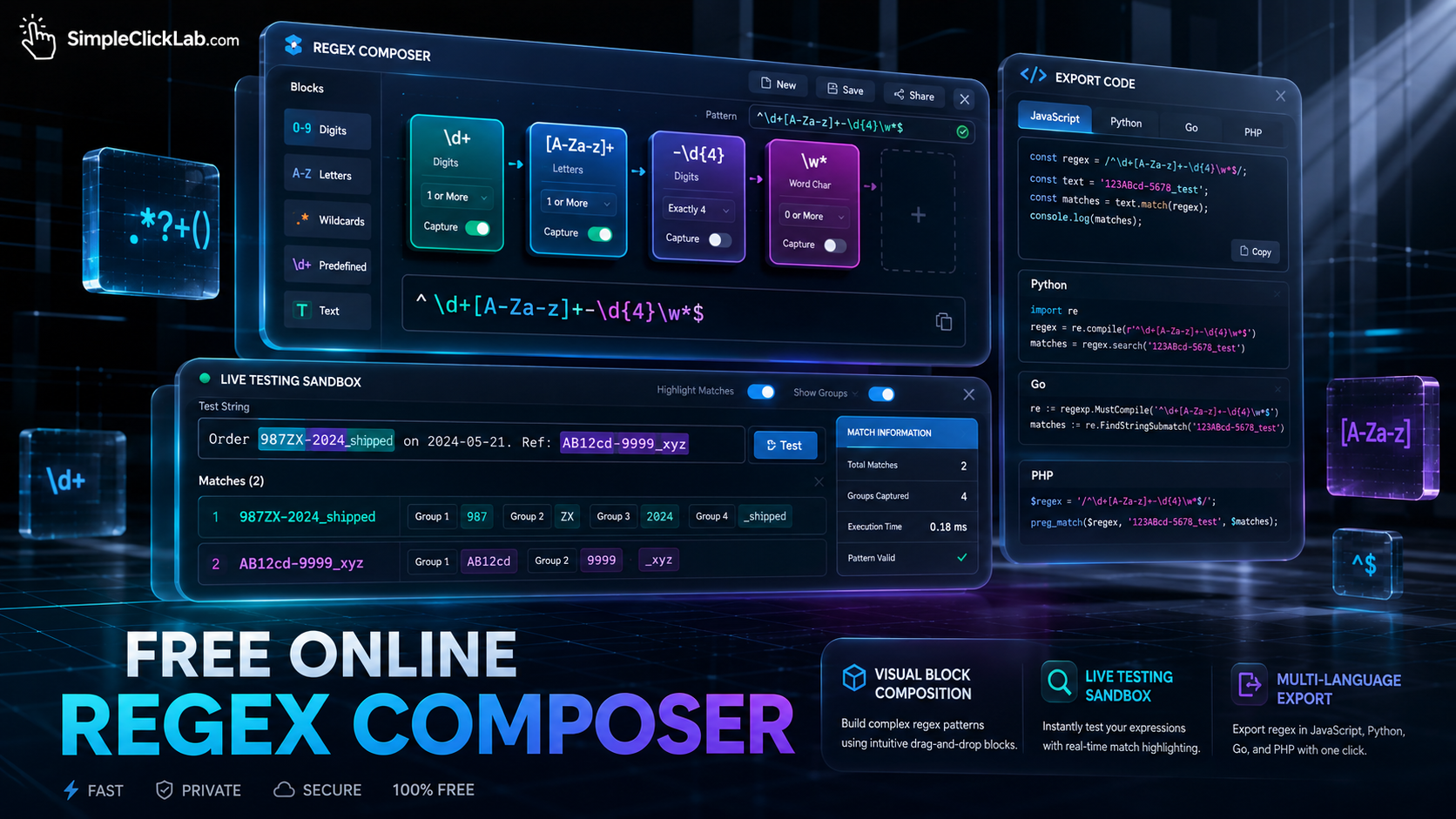
Free Online Regex Builder Optimized for Developers and Engineers
A free online regex builder enables developers, QA and data engineers, and beginners to visually compose regular expressions by assembling drag-and-drop pattern blocks that represent digits, letters, whitespace, and exact text. This block-based regex composer supports defining quantifiers (optional, exact counts, ranges), capture groups, and subpatterns with an intuitive human-readable translation below each step. Users can instantly test their regex in a live sandbox that highlights matches within supplied text and export the generated regex code for JavaScript, Python, Go, and PHP environments. Explore this solution at the Free Online Regex Composer to streamline your pattern-building workflow.
Why Use a Visual Regex Generator?
Regular expressions are notoriously complex to write and debug from scratch. The visual regex generator with blocks breaks regex into manageable, composable pieces. Each block represents a distinct textual pattern, simplifying the process by:
- Visualizing sequence order and logical grouping
- Allowing drag-and-drop reordering of pattern steps
- Making frequency rules (quantifiers) explicit and editable
- Offering plain English explanations under each block
This method ensures that users understand, validate, and refine regex patterns with confidence.
Step-by-Step Framework: Build Your Regex Pattern
| Step | Description | Example Block | Action in Tool |
|---|---|---|---|
| 1. Define Pattern Parts | Add blocks representing the text elements you want to match | Digit (3 times), Dash | Click digit/letter/wildcard icons |
| 2. Set Frequency | Specify quantifiers - optional, exact count, or range | Exactly 3 digits, Optional dash | Use the dropdown to select frequency |
| 3. Group Captures | Choose to wrap blocks in capture groups or subpatterns | Capture group around 'word' | Toggle capture group button |
| 4. Read Plain English | Review human-readable sentences translating each block | "Match 3 digits exactly" | Check the translation under each block |
| 5. Live Test and Preview | Paste sample text in the sandbox to immediately highlight regex matches | Interactive match highlighting | Input test text in sandbox |
| 6. Export Language Code | Generate regex code for JavaScript, Python, Go, or PHP | Export code snippet | Copy code from export panel |
Build this in Regex Composer to accelerate your pattern development.
Core Features of the Free Online Regex Builder
- Block-Based Pattern Composition: Each pattern component is a draggable UI block representing digit, letter, whitespace, or exact text
- Frequency Controls: Options for optional, exact count, or range repetitions (quantifiers)
- Capture Groups: Wrap subpatterns for advanced extraction
- Plain English Feedback: Automatic pattern descriptions beneath each block to confirm logic
- Live Testing Sandbox: Instantly highlights matches as you input test strings
- Multi-Language Exports: Generate ready-to-use regex for JavaScript, Python, Go, and PHP
This block-based regex composer removes guesswork, allowing interactive building and validation of complex patterns.
Comparison Table: Visual Regex Builder vs Traditional Regex Editors
| Feature | Visual Regex Builder | Traditional Regex Editors |
|---|---|---|
| User Interface | Drag-and-drop blocks with explanations | Plain text pattern input |
| Frequency Definition | Dropdown selection (optional, range) | Manual quantifier syntax input |
| Pattern Explanation | Human-readable sentences under blocks | Requires manual interpretation |
| Live Testing | Instant match highlighting in sandbox | May require separate test tools |
| Export Options | JavaScript, Python, Go, PHP | Often language-agnostic regex |
| Accessibility for Beginners | High, with visual clues and feedback | Low, requires regex fluency |
Get Started Now
Unlock powerful pattern creation with the Free Online Regex Composer to instantly build, test, explain, and export regex for all major programming languages. For additional utilities to complement your dev workflow, visit the full suite at SimpleClickLab Tools.
FAQ
•How can I create optional and ranged quantifiers using the regex composer?
Within each block in the regex composer, the 'Frequency' dropdown lets you specify if the item is optional, repeats exactly a number of times, or appears within a custom range (e.g., 2 to 5 times). Simply select the appropriate option to configure quantifiers visually without manually writing regex syntax.
•Does the tool support exporting regex patterns with capture groups for all target languages?
Yes, the regex composer generates regex code that includes capture groups and subpatterns correctly formatted for JavaScript, Python, Go, and PHP. You can enable capture group toggles on blocks, and the exported code reflects these groups as per each language's regex standards.
•Can I test complex regex patterns against real-world text inputs before exporting?
Absolutely. The live regex tester sandbox allows you to paste or type real text, instantly highlighting matches based on your constructed regex pattern. This interactive testing ensures immediate feedback and pattern validation prior to exporting code.
•Is the regex composer suitable for beginners unfamiliar with regex syntax?
Yes, the tool is designed for users at all levels. Its block-based interface breaks down regex into blocks with clear English explanations under each part, making it accessible for beginners while still powerful for advanced engineers.
•What predefined pattern blocks does the tool offer for faster regex composition?
The composer provides preset blocks for digits, letters, whitespace, wildcards, and exact text segments, allowing quick assembly of common regex components with drag-and-drop simplicity.